Shopify Sidekick Fall '26: bulk edits, A/B testing and smarter recommendations
 Patrick Verhoeks
 Shopify Sidekick has been significantly expanded in the Fall '26 Edition. What can the AI assistant do now and how do you use it effectively for your store?
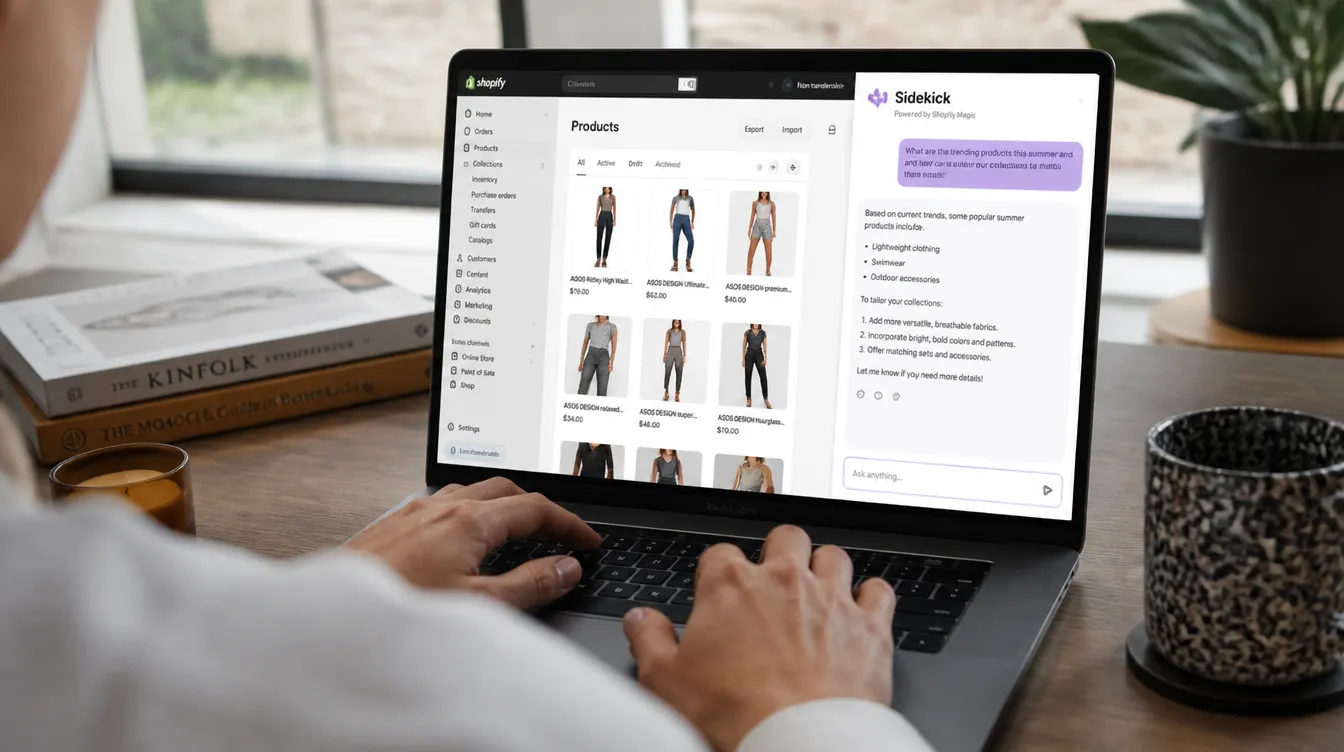
Daily usage of Shopify Sidekick grew 4.2x last year. After the Fall ‘26 updates, it’s easy to see why: Sidekick has evolved from a helpful chatbot into a fully-fledged operations tool that can save hours every week.
New to Sidekick? Start with the basics: Shopify Sidekick: what is it and what can it do for your store?
What’s new in Fall ‘26?
| Feature | What it does |
|---|---|
| Bulk edits | Edit multiple products at once via a single instruction |
| SimGym integration | A/B test changes before going live |
| App & market awareness | Recommendations based on your apps + web research |
| Floating chat | Sidekick available on every admin page |
| Smart Pricing | Market-based pricing advice per product |
| Checkout integration | Control the checkout editor via text instruction |
| Payout insights | Questions about payouts and chargebacks answered |
1. Bulk edits: one instruction, dozens of products
Until now, Sidekick worked on one product at a time. Now you can give an instruction that runs across an entire collection.
Examples:
- “Rewrite all product descriptions in the ‘sale’ collection with an urgency tone”
- “Add the tag ‘bestseller’ to all products with more than 50 sales”
- “Update the meta titles of all products in the ‘winter’ collection”
Sidekick queues the changes in an overview. You review and approve — only then are they applied. No surprises.
2. SimGym: test before you go live
Instead of making a change live and hoping for the best, SimGym simulates the effect of your adjustments in advance.
How it works:
1. Set a goal in Sidekick (more conversions / higher AOV / better add-to-cart)
 ↓
2. Sidekick suggests improvements
 ↓
3. SimGym tests the scenarios in simulation
 ↓
4. You see which change has the most impact
 ↓
5. You approve the winning variant → goes live
You also get a visual overview of where the change is applied in your store. No more guesswork.
3. App and market awareness
Sidekick now makes recommendations that take into account the apps in your stack:
- Running Klaviyo? Sidekick knows when an email flow is missing.
- Have a review app? Sidekick sees which products have no reviews.
- No analytics app? Sidekick suggests one.
It also does web research about your market. Ask: “What are trending products in my category?” — the answer is based on current internet data, not just your own store’s history.
4. Floating chat in the redesigned admin
Shopify’s admin has been fully redesigned. Sidekick now floats as a floating prompt across every admin page, so you can always ask context-relevant questions:
- On the orders page? Sidekick understands and helps with order questions.
- On a product page? Sidekick offers writing help and SEO tips.
- On the analytics page? Sidekick explains trends and outliers.
When you open the admin, you immediately see a personalised dashboard: your priorities, open tasks and Sidekick recommendations for the day.
5. Smart Pricing: pricing advice per product
Ask Sidekick a pricing question and it automatically connects to Shopify Smart Pricing. You get:
- Market-based pricing advice at product level
- Comparison with similar products in the market
- A recommended starting price based on current data
Especially useful when launching new products or optimising your pricing strategy.
Time savings in practice
| Task | Before | With Sidekick Fall ‘26 |
|---|---|---|
| Bulk product description edits | Hours of manual work | One instruction, batch processing |
| A/B testing store changes | Separate app needed | Built in via SimGym |
| Pricing advice for new product | Manual market research | Sidekick + Smart Pricing |
| Understanding chargebacks | Digging through reports | Direct answer in chat |
| Editing checkout | Manual editor work | Instruction to Sidekick |
| Discovering trending products | Manual research | Sidekick does web research |
Getting started
Sidekick is free and built into every Shopify plan. Open your admin, click the chat button in the bottom right and try these prompts:
- “Give me an overview of my top 5 products this month”
- “Which products in my store have no description?”
- “Suggest an A/B test for my homepage hero section”
Want to know how to get the most out of Sidekick for your specific store? Get in touch — we’re happy to help.
Frequently asked questions
-
What's new in Shopify Sidekick in 2026?
The biggest updates are: bulk changes across multiple products at once, integration with SimGym for A/B testing before going live, recommendations based on your app stack and web research, and a floating chat interface throughout the redesigned admin.
-
What is SimGym and how does it work with Sidekick?
SimGym is a simulation tool that tests proposed store changes in a simulated environment. Sidekick connects to it automatically: you set a goal (more conversions, higher AOV), SimGym tests scenarios and advises which changes work best.
-
Can Sidekick edit my checkout?
Yes. Sidekick can make changes in the checkout editor and control Checkout Blocks via a text instruction. You can ask it to add custom fields, adjust the layout or reorder blocks.
-
Is Shopify Sidekick free?
Sidekick is built into every Shopify plan at no extra cost. You'll find it as a chat button in the bottom right corner of your admin dashboard.
- #shopify
- #shopify sidekick
- #ai
- #shopify updates
- #a/b testing
- #simgym
- #shopify fall 2026