Selling via ChatGPT, Google Gemini and Grok: how to set up your Shopify store
 Patrick Verhoeks
 Shopify now lets you sell products through AI assistants like ChatGPT, Google Gemini, Grok and Claude. Here's how it works and how to set it up for your store.
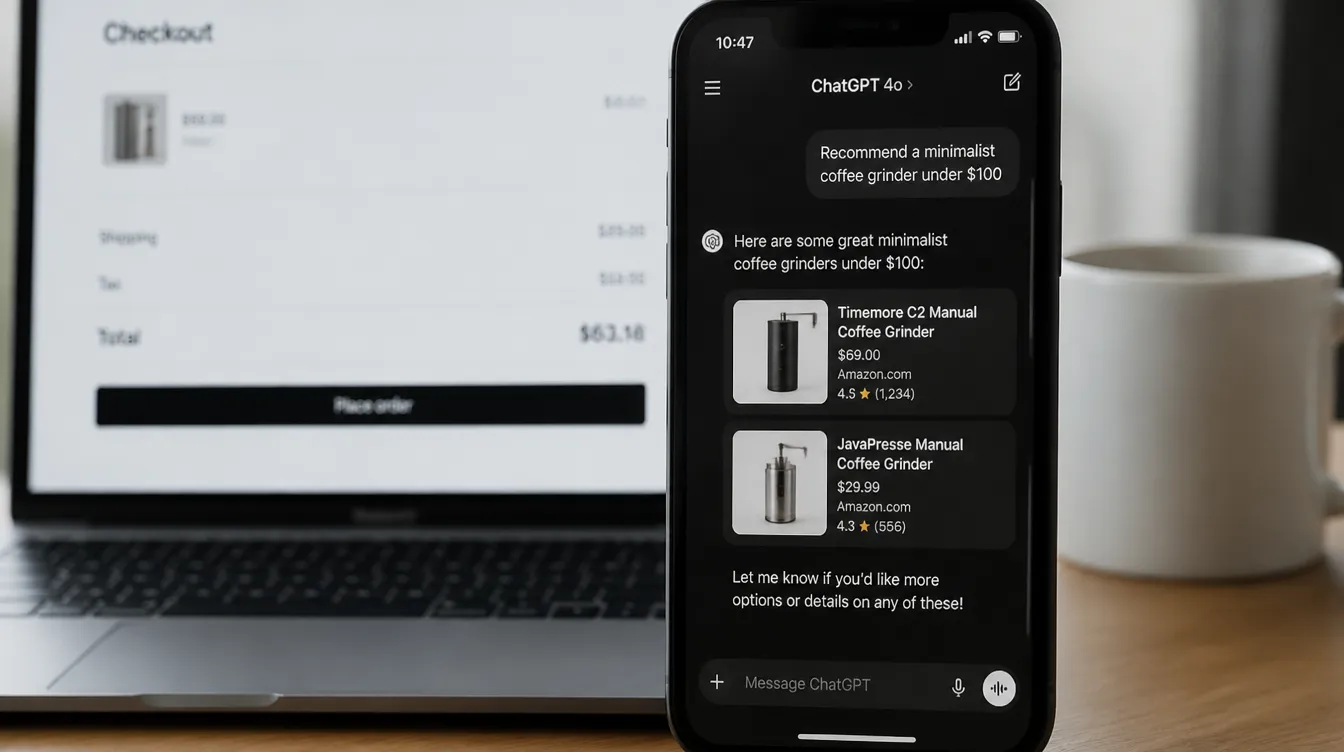
E-commerce no longer runs exclusively through your own website. With the Shopify Fall ‘26 Edition, AI assistants become an official sales channel. Customers browsing ChatGPT, Google Gemini, Grok or Meta Muse can now discover your products and check out — without ever visiting your store.
This article explains how it works, which channels are available, and what you can set up today.
How agentic commerce works
The foundation is three layers:
Customer asks ChatGPT: "Find a coffee subscription under €25/month"
 ↓
ChatGPT queries your store's Shopify Catalog
 ↓
Agent shows your product + price + availability
 ↓
Customer confirms → checkout via Shop Pay
 ↓
Order appears in your Shopify admin
The three building blocks:
| Building block | What it does |
|---|---|
| Shopify Catalog | Structures all your product data for AI agents |
| shop.md | Shares your store description, FAQs and policies with agents |
| Shop Pay | Handles checkout — without the customer visiting your site |
Available AI channels
ChatGPT (OpenAI)
Customers can search your range and check out within the ChatGPT interface. You can also pin Shopify to the ChatGPT sidebar for a live dashboard of revenue, sessions and conversion rate.
Google Gemini + Google AI Mode
Your products appear in Google Search in AI Mode and the Gemini app. Customers buy directly in the chat — your answer to declining organic search traffic.
Google AI Mode is growing fast. Being present early gives you an advantage that’s hard to catch up on.
Grok Bot (xAI / X)
Via the Shopify connector for Grok, you manage your store without leaving the chat. Customers on X discover products via Grok and pay with Shop Pay.
Meta Muse
Muse is Meta’s personal AI agent, available via Instagram and WhatsApp. Connect your store and reach customers on the apps they already use daily.
Microsoft Copilot
Manage products, orders and inventory from Microsoft 365 (Outlook, Word, Excel). Particularly useful if your team is heavily Microsoft-dependent.
Claude Duet (Anthropic)
Customers using Claude can activate Shop Pay as a payment option. Discovery, purchase approval and checkout — all within the Claude interface.
Step-by-step setup
Step 1 — Verify Shopify Catalog
Go to Sales channels → Shopify Catalog and check your store’s eligibility. Make sure:
- Every product has a description, price and image
- Compare-at prices are filled in where applicable
- Your return and shipping policies are set up
Step 2 — Enable Shop Pay
Go to Settings → Payments → Shop Pay and turn it on. Without Shop Pay, there’s no agentic checkout.
Step 3 — Connect the AI channels
Each channel has its own connector in the App Store or via Sales channels:
| Channel | Where to find it |
|---|---|
| ChatGPT | Shopify Plugin for ChatGPT (App Store) |
| Google Gemini | Sales channels → Google |
| Grok | Shopify Connector for Grok (App Store) |
| Meta Muse | Sales channels → Meta |
| Microsoft Copilot | Shopify Plugin for Microsoft Copilot |
Step 4 — Set up your Knowledge Base
Go to Online channels → Agentic storefronts → Knowledge base. This is where you control what information AI agents receive about your store: FAQs, policies and business details. You’ll also get suggestions for improving your content.
What’s in it for you?
| Benefit | Details |
|---|---|
| Visibility in Google AI Mode | While competitors are still waiting |
| Reach via ChatGPT | 400M+ daily users worldwide |
| Shop Pay conversion | Up to 1.5x higher vs guest checkout |
| No extra dev work | Everything runs through Shopify admin |
Agentic commerce is still young — but the infrastructure is here now. The setup investment is small (a few hours), and the upside is access to channels that are growing fast. Being early in AI channels works just like being early in Google: the first position is the hardest to overtake.
Need help setting up agentic storefronts? Schedule a call — we’ll walk through it together.
Frequently asked questions
-
What are agentic storefronts in Shopify?
Agentic storefronts are sales channels via external AI assistants like ChatGPT, Google Gemini, Grok and Meta Muse. Customers can discover, compare and purchase products through these AI tools without visiting your store.
-
Do I need Shop Pay for agentic commerce?
Yes. AI agents check out via Shop Pay. You need Shop Pay enabled in your Shopify settings to accept orders through AI channels.
-
What is Shopify Catalog?
Shopify Catalog is the tool that structures your product data and makes it available to AI agents — product names, descriptions, prices, compare-at prices and availability in a format AI assistants can read.
-
Are orders through AI channels visible in my Shopify admin?
Yes. Orders that come in via ChatGPT, Gemini or other AI agents appear in your Shopify admin just like orders from your own store.
- #shopify
- #agentic commerce
- #chatgpt
- #google gemini
- #grok
- #shopify catalog
- #shop pay
- #ai channels